
Empires Of Alan
A Towny-like nations and land claims plugin for Paper featuring towns, diplomacy, wars, mercenary clans, and BlueMap territory integration.

Overview
Empires Of Alan is a nation and land management plugin created by AlanTheDev for Minecraft Java Edition servers. Built for Paper 1.21.4 and compatible server forks, it draws inspiration from traditional systems such as Factions and Towny. The tool facilitates geopolitical roleplay by letting communities organize settlements, establish nations, and conduct warfare.
Town and Nation Mechanics
Players can establish customizable towns and claim territory at the chunk level. Settlements include internal banking, spawn points, teleportation, and protection flags that control PvP, explosions, and mob spawning. Residents are organized through specific roles, including Owner, Mayor, Knight, and Member.
Multiple towns can merge into larger nations with shared taxation, diplomacy, and teleportation networks. These nations use a leadership hierarchy consisting of Kings, Officers, and Knights. Leaders can form alliances or declare enemies to drive political interactions across the server.
Warfare and Communication
The conflict system supports customizable war modes including territory capture, PvP dominance, and resource control. Wars track statistics and feature mechanics for surrender, rewards, and penalties. Additionally, factions can hire mercenary clans, which have their own ranks, banks, and contract systems.
An integrated chat system separates communication into local, town, nation, alliance, and global channels. Messages include rank prefixes, color coding, and filters for spam and profanity. Server moderators can also monitor conversations using an administrative spy mode.
Technical Structure and Integrations
Most gameplay functions are accessed through inventory-based graphical user interfaces, while server data is handled by an asynchronous SQLite database. The plugin relies on Vault for economy features and offers optional compatibility with PlaceholderAPI, EssentialsX, LuckPerms, and BlueMap for territory visualization. Administrators can adjust settings via YAML configuration files, utilize multi-language support, and manage data with built-in backup and debugging tools. Running the plugin requires Java 21 or higher.
How to install
- Install the loader shown in the table (Fabric, Forge or NeoForge) for the same Minecraft version.
- Put the .jar file into
.minecraft/mods. - Start Minecraft with that loader profile.
Similar
A Bukkit land-protection and town and nation management plugin with war mechanics for multiplayer servers.
A Bedrock nation-building addon made for Earth servers like KaroEarth, featuring chunk territories, diplomacy, wars, taxes, and jobs.

A Paper and Spigot addon that integrates Towns and Nations territorial claims and landmarks into Squaremap.

A Hearts of Iron-style geopolitical nations, territories, focus tree, and trade mod built for a 45-country Europe and North Africa RP server.

A medieval kingdom, economy, and warfare mod designed for servers running on a real-world Earth map.
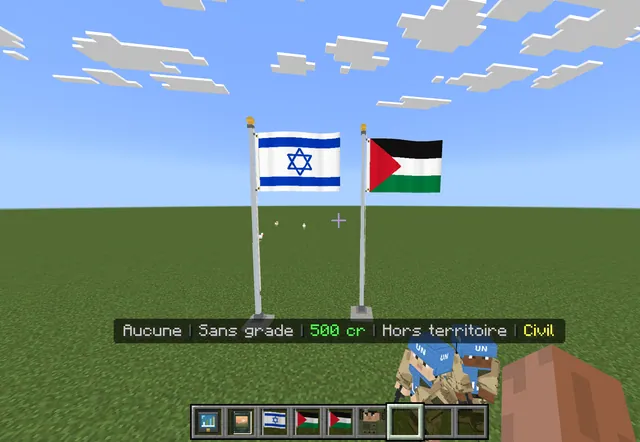
A geopolitical roleplay addon for Minecraft Bedrock featuring Middle Eastern nations, governments, economies, borders, and armies.
A nations and towns land-management plugin for Paper with wars, diplomacy, economy, and BlueMap territory integration.

A complete nations, politics, economy, warfare, and live web-map suite for Paper and Spigot servers.