Travel Your Earth
Brings content from the discontinued Minecraft Earth game, including rubies, ruby gear, and hardened glass, into Java Edition.
Overview
Travel Your Earth introduces features from the retired Minecraft Earth title into the standard game while maintaining a vanilla style. Because this modification is still in early development, not every item can be earned during survival gameplay yet. Players will need to use the Creative inventory to access certain unfinished features.
Ruby Equipment and Blocks
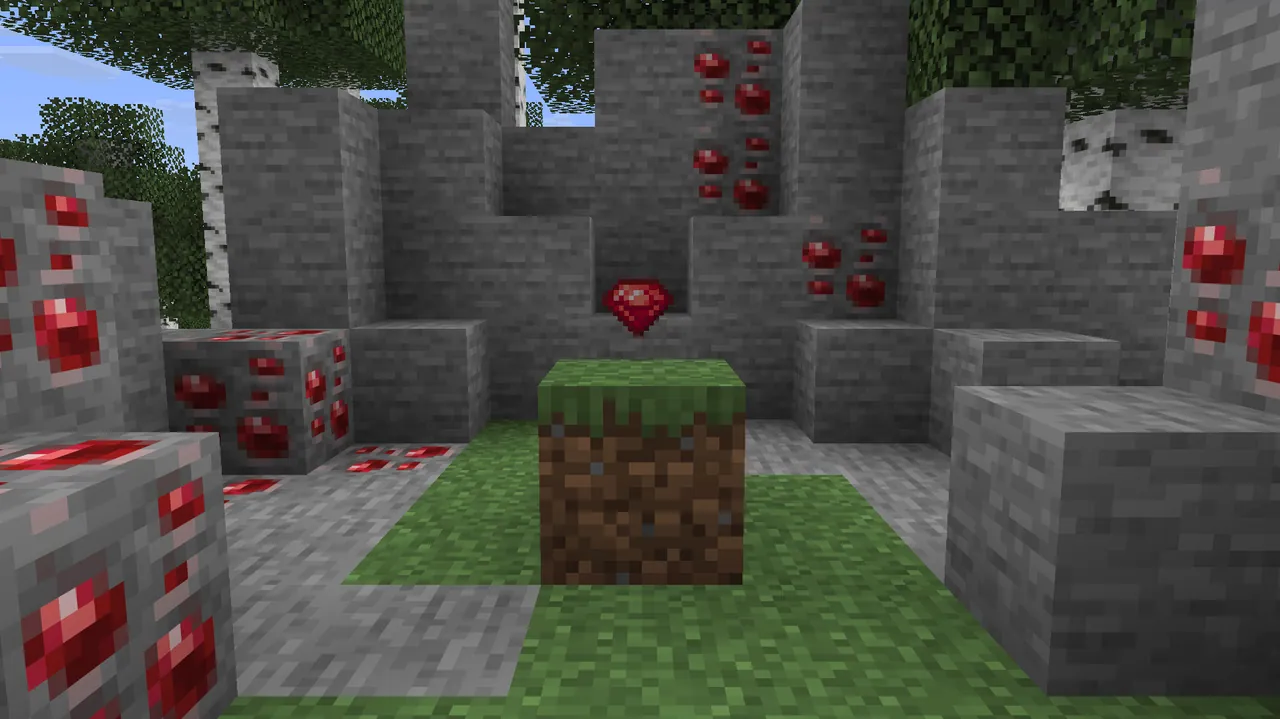
The mineral ruby is a central addition, appearing underground in both regular stone and deepslate ore forms alongside craftable storage blocks. Craftable ruby weapons and tools bridge the gap between the iron and diamond tiers. The available equipment lineup consists of a pickaxe, axe, shovel, hoe, sword, and spear.
Equipping a set of ruby armor puts out fire on the player, provided they are not currently standing in lava, regular fire, or soul fire. Protective ruby gear is also available for horses and nautiluses, and the gem can be applied as a decorative trim on any armor type. Furthermore, the update adds blast-resistant hardened glass, while allowing ruby blocks and gems to construct and activate beacons.
World Integration and Interface Updates
Ruby items naturally appear across the world on hostile mobs and inside structure chests. Adventurers can discover these gems while looting trail ruins, ancient cities, and both ocean and underwater ruins. In combat, players might encounter ruby-equipped zombies, husks, skeletons, strays, boggeds, parcheds, or enemies inside ominous trial chambers.
The user interface receives small visual adjustments to match the new content. Players will notice a fresh layout for the beacon menu as well as a ruby symbol inside the smithing table interface. Upcoming releases are planned to add more features from the original spin-off game and provide compatibility for version 26.3.
How to install
- Install the loader shown in the table (Fabric, Forge or NeoForge) for the same Minecraft version.
- Put the .jar file into
.minecraft/mods. - Start Minecraft with that loader profile.